Guide Created by Qzarel
Hello!
This articles is to explain about Azur lane account system since I have been selling without an issues so far, and would like to share how the yostar accounts worked to everyone and this guide will covered every context for a new seller/buyer.
Topic includes are:
1. How many types of Azur Lane on Android and iOS devices
2. How to safely Buy and Sell Azur lane accounts
3. How to make sure the account is safe after transferring for buyers
The guide will encourage an examples of a good buyer and sellers practices, you should take a look on the guide before start buying or selling the accounts.
1. How many types of Azur Lane on Android and iOS devices.
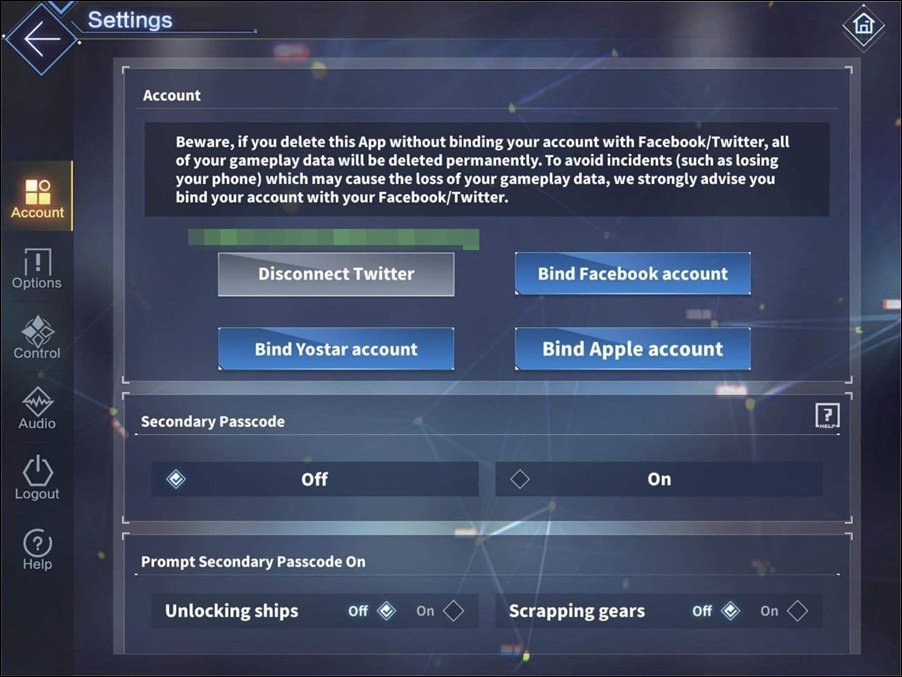
There are 3 types of accounts for Android but for the iOS there will be 4 types of accounts, so lets assuming you login with iOS devices:
 (Screenshot)
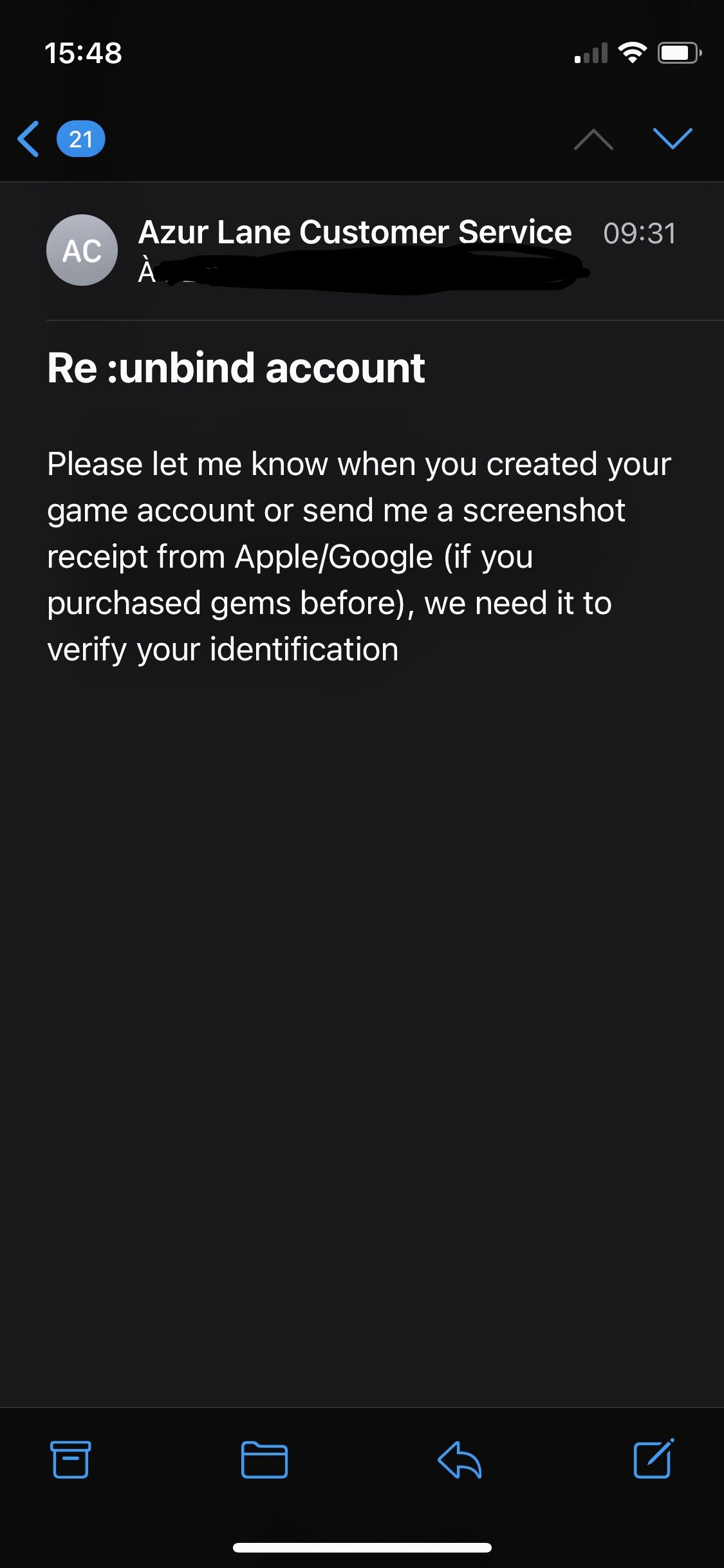
1.1 Yostar: This links to the email services (mostly google account and yahoo account) and cannot be unlink by yourself. You will need to send email by using the original email send to support. Support email address can be found on their social media. The buyer should unlink the account with oldest device used to play Azur Lane as they will likely not request these information below.
*Otherwise if you let the buyer login into the account already, and requests like to unlink the email. Support are required to provide 3 information for a buyer to unbind these account*
- Receipt you previously bought a gems/monthly card by your credit card, google play account at least 3 receipts.
- Date of creation of the Azur Lane account.
After the 2 questions, they will asks the last question if the account has been logged in with a several cities and IP geolocations.
- All previously name that has been linked to the accounts by Twitter, Facebook and Yostar.
1.2 Twitter: This is linkable and can be unbound in game, make sure you have the username / password of the account and the account.
1.3 Facebook: This is linkable and can be unbound in game, make sure you have the username / password of the account and the account.
1.4 Game Center/Apple ID: This is linkable and can be unbound in game, make sure you have the username / password of the account.
2. How to safely Buy and Sell Azur lane accounts
For buyers, if you considered buying one account. Buying the one with the ability to unbind accounts from buyer: Twitter, Facebook and Game Center is the safest linked account. Make sure you can ask the seller if they have a backed up way of recovering the account or can unbind before delivered when logged with new IP address / country as the SNS systems might flagged the accounts.
Otherwise the game account is binded with Yostar, they should gain full access to the email services as well.
Unless you buying the accounts from a reputation seller, they should know the ways on how to securing the account.
For sellers, if the account binded with yostar. you will need to send email by use original email send to support and the address can be found on their social media. Make sure you linked the account to Twitter, Facebook or Gamecenter to make sure the account not lost during the unbind process.
3. How to make sure the account is safe after transferring for buyers
When you have bought the account, please make sure to following these instructions to secure the account.
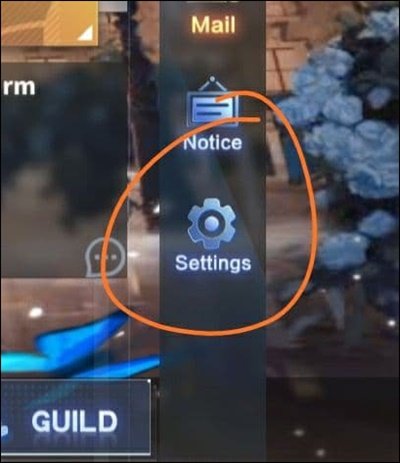
- Check the account if they were binded to any social media, they can be found under Settings > Accounts. Please ask the seller directly for help unbinding if any SNS still binded here.
- Check secondary password if it is enable, the seller should be the one who are responsible for the secondary password (6 Digit).

After you checked both of them and they are turned out okay, seller should disconnect from the games and keep buyer informed.
Please make sure to turn on secondary password and binding the account with your own SNS.
I love your feedback and input. This is something I always value.
This articles is to explain about Azur lane account system since I have been selling without an issues so far, and would like to share how the yostar accounts worked to everyone and this guide will covered every context for a new seller/buyer.
Topic includes are:
1. How many types of Azur Lane on Android and iOS devices
2. How to safely Buy and Sell Azur lane accounts
3. How to make sure the account is safe after transferring for buyers
The guide will encourage an examples of a good buyer and sellers practices, you should take a look on the guide before start buying or selling the accounts.
1. How many types of Azur Lane on Android and iOS devices.
There are 3 types of accounts for Android but for the iOS there will be 4 types of accounts, so lets assuming you login with iOS devices:
1.1 Yostar: This links to the email services (mostly google account and yahoo account) and cannot be unlink by yourself. You will need to send email by using the original email send to support. Support email address can be found on their social media. The buyer should unlink the account with oldest device used to play Azur Lane as they will likely not request these information below.
*Otherwise if you let the buyer login into the account already, and requests like to unlink the email. Support are required to provide 3 information for a buyer to unbind these account*
- Receipt you previously bought a gems/monthly card by your credit card, google play account at least 3 receipts.
- Date of creation of the Azur Lane account.
After the 2 questions, they will asks the last question if the account has been logged in with a several cities and IP geolocations.
- All previously name that has been linked to the accounts by Twitter, Facebook and Yostar.
1.2 Twitter: This is linkable and can be unbound in game, make sure you have the username / password of the account and the account.
1.3 Facebook: This is linkable and can be unbound in game, make sure you have the username / password of the account and the account.
1.4 Game Center/Apple ID: This is linkable and can be unbound in game, make sure you have the username / password of the account.
2. How to safely Buy and Sell Azur lane accounts
For buyers, if you considered buying one account. Buying the one with the ability to unbind accounts from buyer: Twitter, Facebook and Game Center is the safest linked account. Make sure you can ask the seller if they have a backed up way of recovering the account or can unbind before delivered when logged with new IP address / country as the SNS systems might flagged the accounts.
Otherwise the game account is binded with Yostar, they should gain full access to the email services as well.
Unless you buying the accounts from a reputation seller, they should know the ways on how to securing the account.
For sellers, if the account binded with yostar. you will need to send email by use original email send to support and the address can be found on their social media. Make sure you linked the account to Twitter, Facebook or Gamecenter to make sure the account not lost during the unbind process.
3. How to make sure the account is safe after transferring for buyers
When you have bought the account, please make sure to following these instructions to secure the account.
- Check the account if they were binded to any social media, they can be found under Settings > Accounts. Please ask the seller directly for help unbinding if any SNS still binded here.
- Check secondary password if it is enable, the seller should be the one who are responsible for the secondary password (6 Digit).
After you checked both of them and they are turned out okay, seller should disconnect from the games and keep buyer informed.
Please make sure to turn on secondary password and binding the account with your own SNS.
I love your feedback and input. This is something I always value.