

WARNING! Off-site contact information posted. We do not investigate disputes if you communicate off-site.
How to Buy or Sell a Genshin Impact Account

MiHoYo, a video game company that’s based in Shanghai developed the game Genshin Impact.
The game is an open-world, action RPG developed and published on September 28, 2020,
for PC, iOS/Android, and PS4/PS5 platforms. The game is Free-to-Play with a Gacha monetization system in the form of Wishes.
MiHoYo also worked on other mobile games like Honkai Impact.
Genshin Impact is one of the most popular games in the world today, making it one of the most talked about titles and the best place to buy or sell your Genshin Impact account is on EpicNPC forums.
Step by Step Guide on Preparing Your Mihoyo Account for Buying/Selling
Here are the steps on what to do when you're ready to buy/sell a Genshin Impact Account:For Sellers:
Prepare Your Genshin Account Credentials for a Smooth Trade:
Have your Mihoyo account ready (username and password, have third party accounts unlinked)
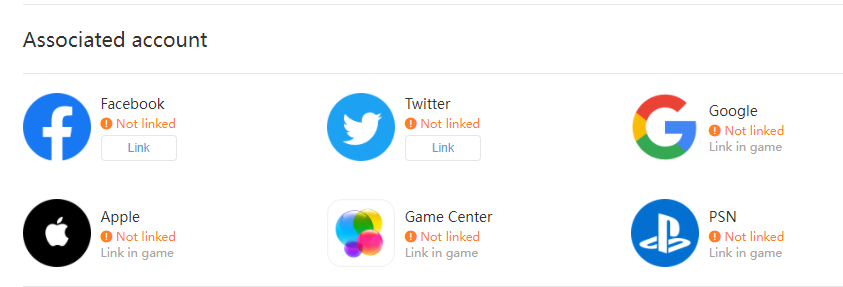
- Google, Game Center Facebook, Twitter, Apple ID can be unlinked in game
*you need access from the third party account to unlink in game*
- PSN ID's can be unlinked thru MiHoYo customer service (might take 3-7 working days)
Post your ad on https://www.epicnpc.com/forums/genshin-impact-na-accounts.1973/
- Make sure every details is there (selling price, number of characters/stats/inventory and important things buyer needs to see)
- There are also parameters on the below the thread creation page so you can input more info for the buyers to see.
- Don't share UID, nicknames, linked email and passwords for security purposes.
Buyer's will give offers and will try to negotiate with you, you can choose two options when you decide to sell:
- Direct transaction to buyer
- EpicNPC Middleman Service Trade Guardian
Direct selling is pretty much a straight forward transaction. It will be between you and the buyer.
We strongly advice you deal with high rated buyers to avoid being scammed.
For safe trading practices, you can visit this thread:
https://www.epicnpc.com/threads/safe-trading-practices.1840043/
Also, if you're having doubts with the person you're dealing with, you can use EpicNPC's Middleman Service Trade Guardian. Trade Guardian is our automated middleman system that can be used for trading or selling.
For more info, you can click here: https://www.epicnpc.com/tradeguardian/
For Buyers:
If the Genshin Impact is unlinked to an phone number/email, you can proceed. But it's best to prepare a phone number or email that is not linked to any Mihoyo account. You can link those to the account you're buying to further secure it.
Securing Genshin Impact Account after Buying/Selling:
Login the mihoyo account management website (https://account.mihoyo.com/)
or go to the user center in game
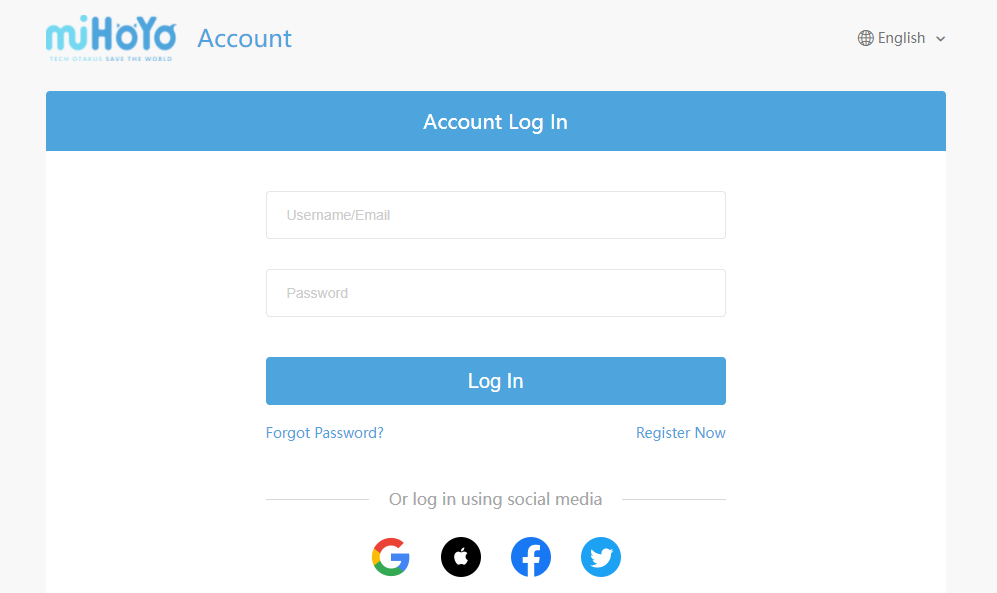


Changing your password:
-Go to Account Security Settings > Click "Switch" on the "Change Password" section
-if no email or phone number is linked: solve CAPTCHA, input your old password to create a new one.
-if email or phone number is linked: solve CAPTCHA, a code will be sent to your email or phone number to proceed with updating your password.
Changing your email:
*once an email is linked, it can only be changed to a new one*
-Go to Account Security Settings > Click "Modify Link" on the "Email" section
-if no email or phone number is linked: solve CAPTCHA, input your new email and a code will be sent to verify the new email.
-if email or phone number is linked: solve CAPTCHA, input your new email and a code will be sent to your email or phone number to proceed with
updating your email, input your new email and a code will be sent to your email or phone number to verify the new email.
Change/Unlink your phone number
-Go to Account Security Settings > Click "Modify Link" on the "Mobile" section
-if no email or phone number is linked: solve CAPTCHA, input your new phone number and a code will be sent to verify the new phone number.
-if email or phone number is linked: solve CAPTCHA, input your new phone number and a code will be sent to your email or phone to proceed with
updating your phone number. input your new phone number and a code will be sent to your email or phone to verify the new number.
Last edited by a moderator:

 có cách nào khác để thay đổi email không