


Apex Legends is a free-to-play battle royale-hero shooter game developed by Respawn Entertainment and published by Electronic Arts. Apex Legends offers you innovative combat with a huge assortment of weapons and equipment where you can build your crew and enjoy the great Battle Royale experience. Game is also available on several other platforms including Nintendo Switch, PlayStation 4, Xbox One, Xbox Series X and Series S, PlayStation 5 etc.
In this guide, we are going to show you how to secure an Origin version of the game.
You can find Alex Legends accounts to buy or list your account for sale in this section on Epicnpc.
https://www.epicnpc.com/forums/apex-legends-accounts.1729/
Make sure to include all important information about your account, image with Stats, Legends [stats, badges, etc]. Weapon [skins] and Heirlooms [if there are any]. Price and payment method are also required to be posted in your thread. If you are going to provide an original email make sure to mention that.
Also, please hide your account ID from the image to avoid getting your account banned
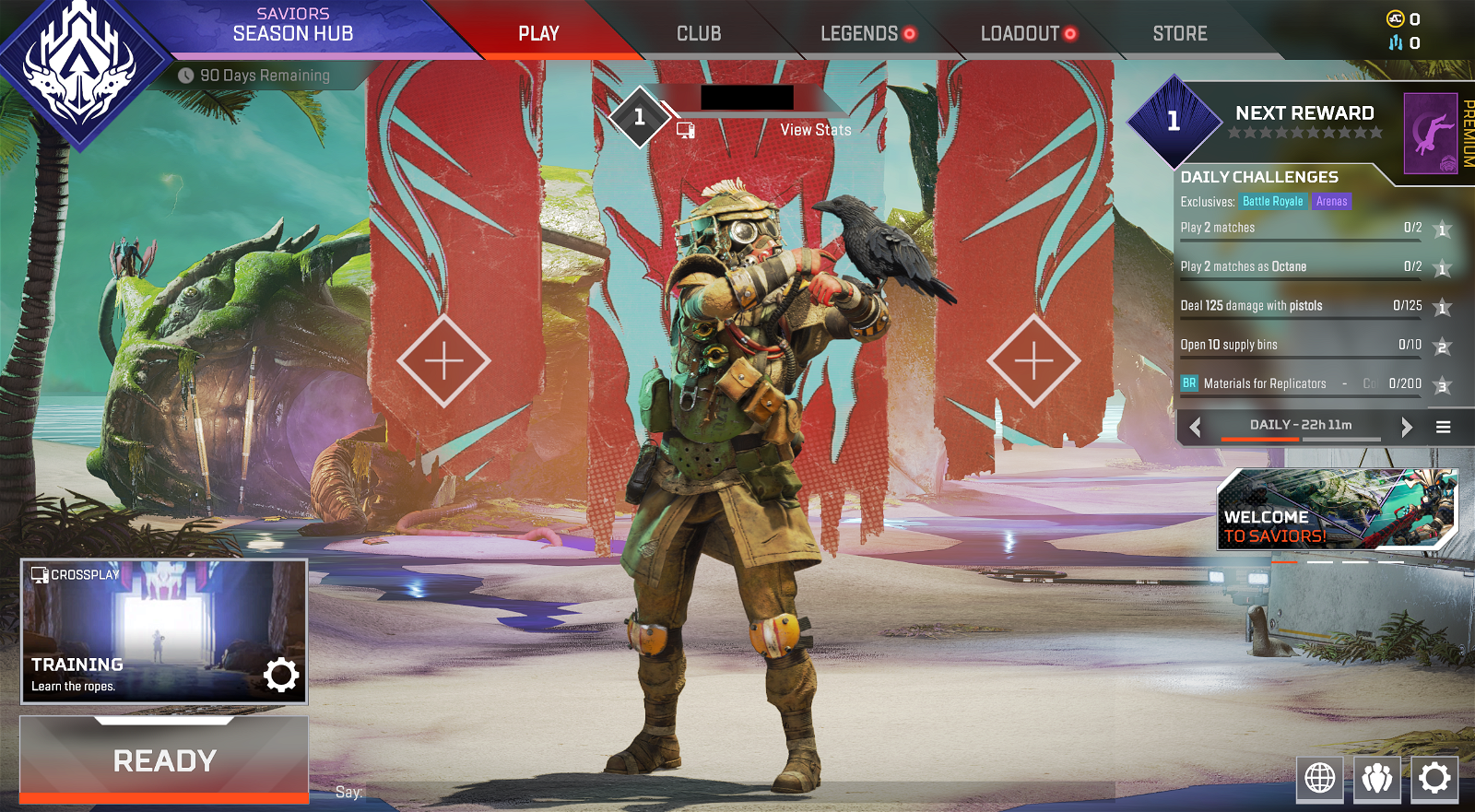
After you find a buyer, disable 2FA, remove secondary email to make login easier, and check a payment method if there is any please remove it.
1. After you buy an account first you should go and log in to confirm that everything matches. Compare stats, skins, etc with one listed in sale thread, then try to play one match to confirm that the account is not banned.
2. Next step is to properly secure the account.
a.) Login on the official website https://www.ea.com/
b.) Take a look if an account is linked (Steam, PSN etc.) - If yes ask the seller to contact support to get these removed
c.) Change email - Click on About me - Email address - EDIT
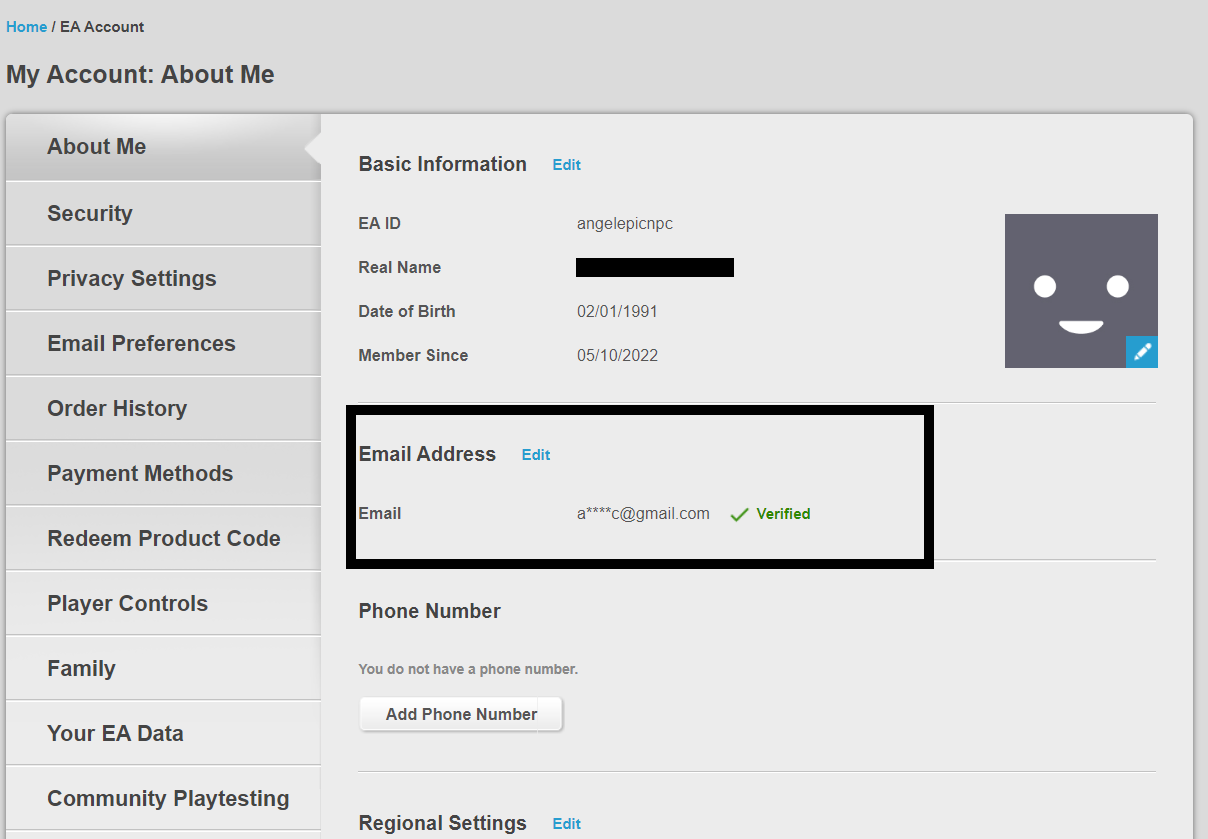
- Security code will be sent to the previous email address, ask from seller to send you a code. Enter a code and add your new email address. A new code will be sent to your new email, add a code to the empty field to confirm the change.
- After you change email this is not done yet. Make sure to delete the retrieval link, you can find it in the previous email, and looks like this:

You can do this by asking a seller to give you email access or to delete it by himself but to screen-share with you.
d.) After you secure the email go and change the password from Security option on the top.
e.) Next step is to add a secondary email and activate 2FA

3. In the end, you can take a look at the help page to confirm that there as no open or closed tickets, and also if an account was previously banned or recalled https://help.ea.com/en/
After this last step, you can consider the transaction finished.
If you are looking on account with the original email you can confirm it in the two ways:
1. Contact support and ask them to confirm a first email where your account was registered but do not tell them that account was sold.
2. On My account page open Your EA Data and click Request a Download button. In a proximately 20 minutes you will be able to download a history where you will get a notecard with previous emails, IPs etc
In this guide, we are going to show you how to secure an Origin version of the game.
You can find Alex Legends accounts to buy or list your account for sale in this section on Epicnpc.
https://www.epicnpc.com/forums/apex-legends-accounts.1729/
Selling your Apex Legends Account
First what you have to do is to post your account for sale in this section https://www.epicnpc.com/forums/apex-legends-accounts.1729/Make sure to include all important information about your account, image with Stats, Legends [stats, badges, etc]. Weapon [skins] and Heirlooms [if there are any]. Price and payment method are also required to be posted in your thread. If you are going to provide an original email make sure to mention that.
Also, please hide your account ID from the image to avoid getting your account banned
After you find a buyer, disable 2FA, remove secondary email to make login easier, and check a payment method if there is any please remove it.
Buying Apex Legends Account
1. After you buy an account first you should go and log in to confirm that everything matches. Compare stats, skins, etc with one listed in sale thread, then try to play one match to confirm that the account is not banned.
2. Next step is to properly secure the account.
a.) Login on the official website https://www.ea.com/
b.) Take a look if an account is linked (Steam, PSN etc.) - If yes ask the seller to contact support to get these removed
c.) Change email - Click on About me - Email address - EDIT
- Security code will be sent to the previous email address, ask from seller to send you a code. Enter a code and add your new email address. A new code will be sent to your new email, add a code to the empty field to confirm the change.
- After you change email this is not done yet. Make sure to delete the retrieval link, you can find it in the previous email, and looks like this:
You can do this by asking a seller to give you email access or to delete it by himself but to screen-share with you.
d.) After you secure the email go and change the password from Security option on the top.
e.) Next step is to add a secondary email and activate 2FA
3. In the end, you can take a look at the help page to confirm that there as no open or closed tickets, and also if an account was previously banned or recalled https://help.ea.com/en/
After this last step, you can consider the transaction finished.
If you are looking on account with the original email you can confirm it in the two ways:
1. Contact support and ask them to confirm a first email where your account was registered but do not tell them that account was sold.
2. On My account page open Your EA Data and click Request a Download button. In a proximately 20 minutes you will be able to download a history where you will get a notecard with previous emails, IPs etc


