

What is One Piece Bounty Rush?
Bandai Namco Entertainment developed and distributed One Piece Bounty Rush, a free-to-play mobile game based on the One Piece series.The game is played in real-time with four-player teams, with the team with the greatest treasure in the end winning. Every battle takes place in one of the One Piece series' locations. It is available on iOS and Android.
OBBR is one of the most popular anime games for mobile. Naturally, people like to buy and sell One Piece Bounty Rush accounts. However, to do that they need to know how to transfer a One Piece Bounty Rush account to another device. So in this guide, we will tell you everything you need to know about transferring OPBR accounts.
Preparing Your OPBR Account for Transfer
This section is for all the people who want to sell their One Piece Bounty Rush account for the first time. You can simply follow these steps to find out what you need to do to prepare your account for transfer.These instructions are quite useful for anyone looking to sell an account.
You can buy and sell One Piece Bounty Rush accounts by checking out EPICNPC’s forums.
https://www.epicnpc.com/forums/one-piece-bounty-rush-opbr-accounts.1534/
So you need to perform certain tasks to make sure your account is ready to be transferred. If you’re a first-timer simply follow these steps below:
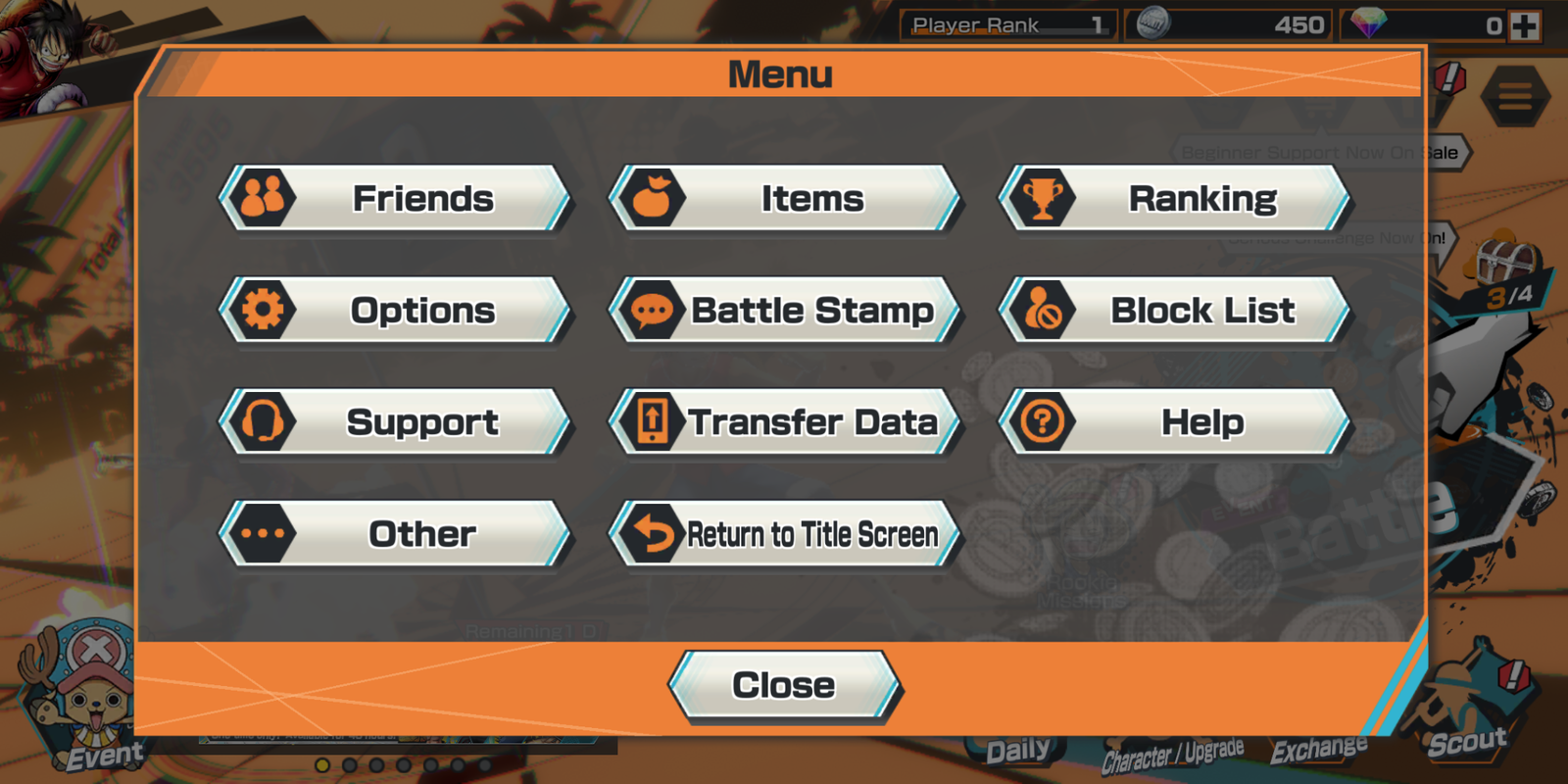
1. When you’re on the home screen of your game click on the Menu icon in the top right corner of the screen.
2. Now you’ll see a menu. Click on “Transfer Data” in this menu.
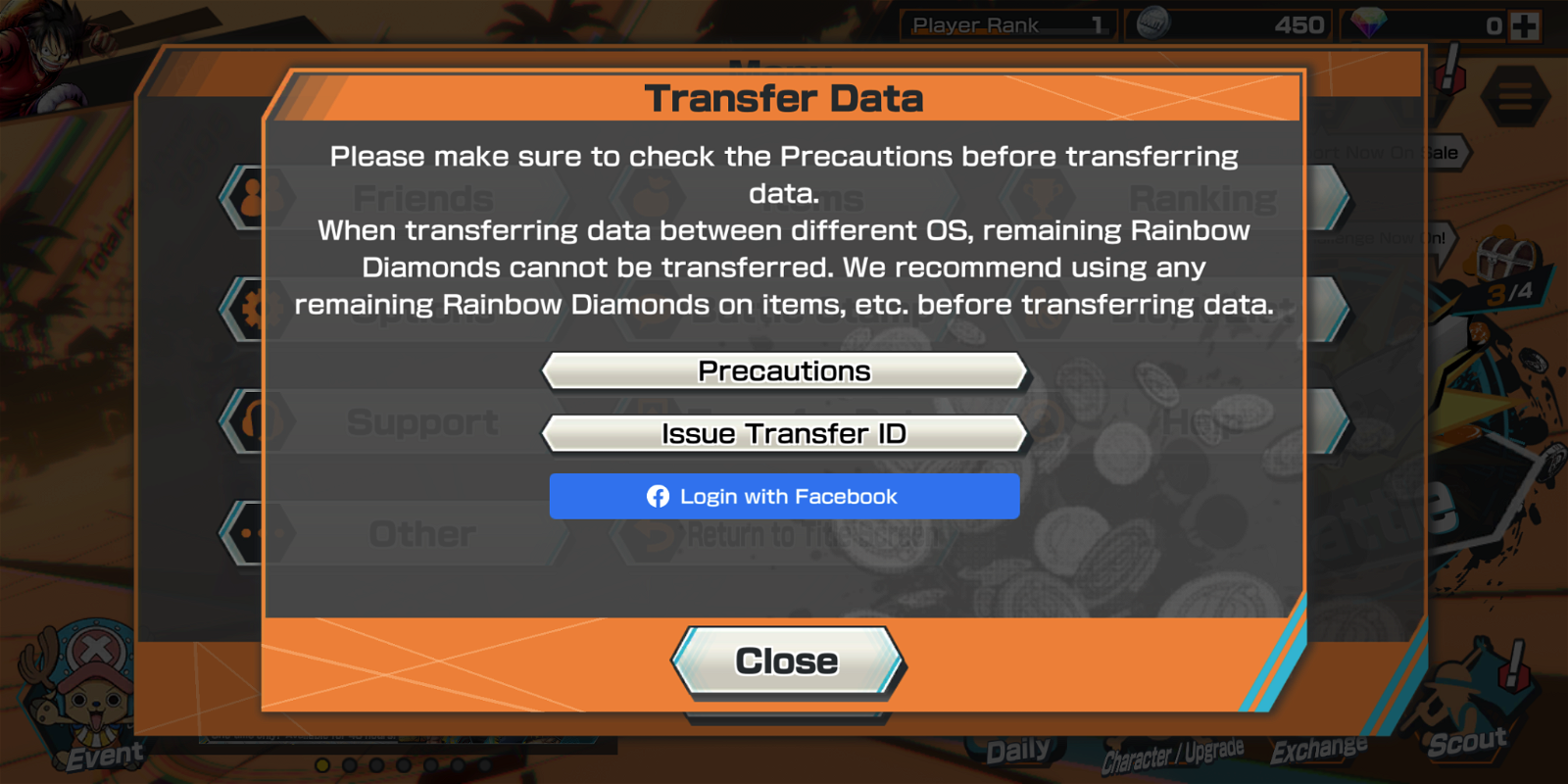
3. Upon clicking Transfer Data, you’ll see another window pop-up which will show you a couple of other options. Among these options would be “Issue Transfer ID,” so click on that.
4. Now you’ll be asked to enter a unique password. Type in a unique and secure password then click “Register This Password.”
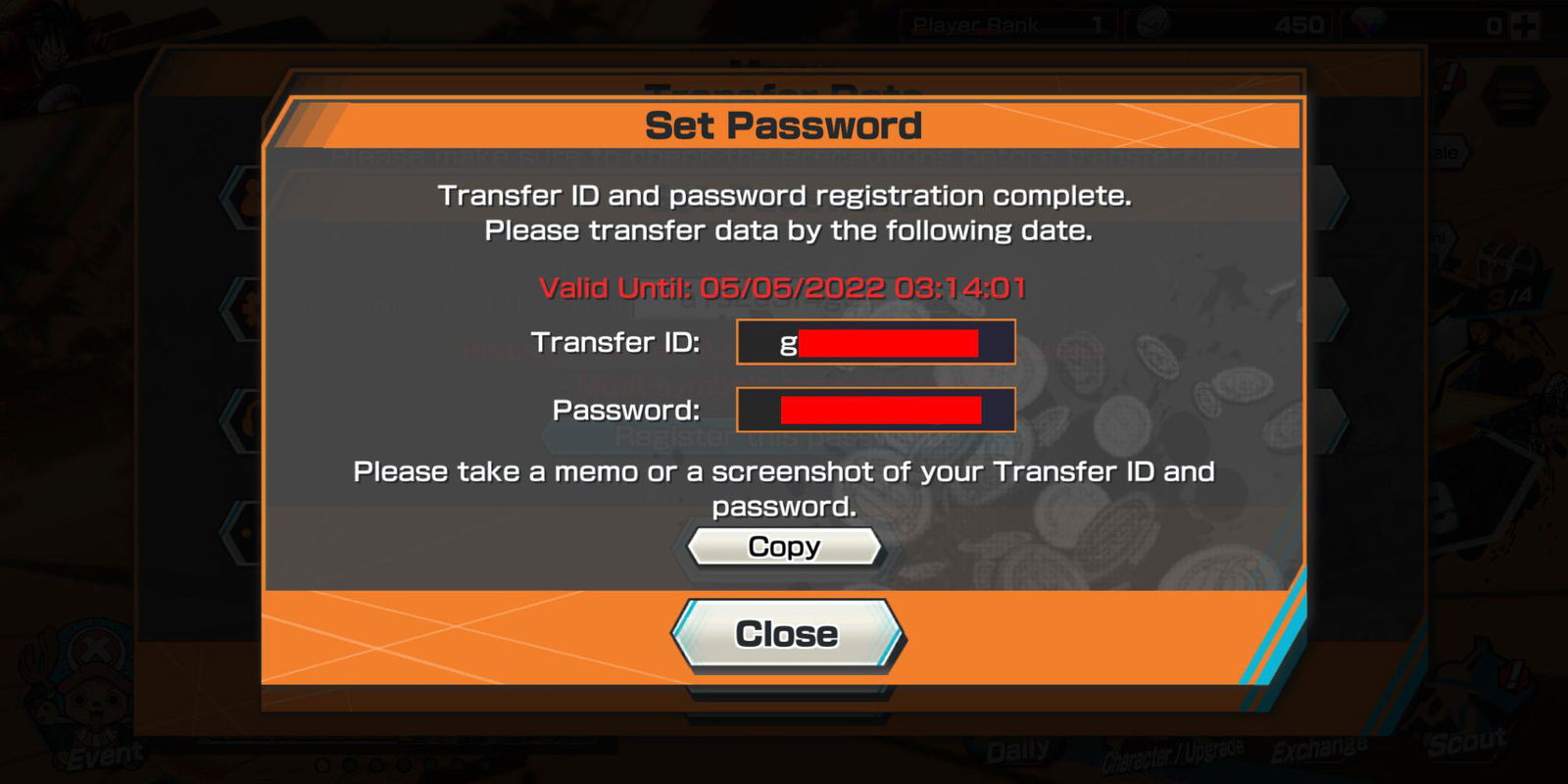
5. After registering a password your Transfer ID will be issued and you’ll see a screen with both the ID and the password. You should screenshot this and never share it with anyone else. You are all set to transfer it.
How to Transfer One Piece Bounty Rush Account To Another Device?
You have now learned how to prepare your OPBR account for transfer. Now you need to know how to actually transfer the account. The process for that is actually quite simple and you can do it in no time.These instructions are quite useful for anyone looking to buy an account.
Follow all the steps carefully.
1. First of all, clear your game data or reinstall the game so there are no complications in the data transfer.
2. Open the Title screen of the game and you’ll see two options as follows:
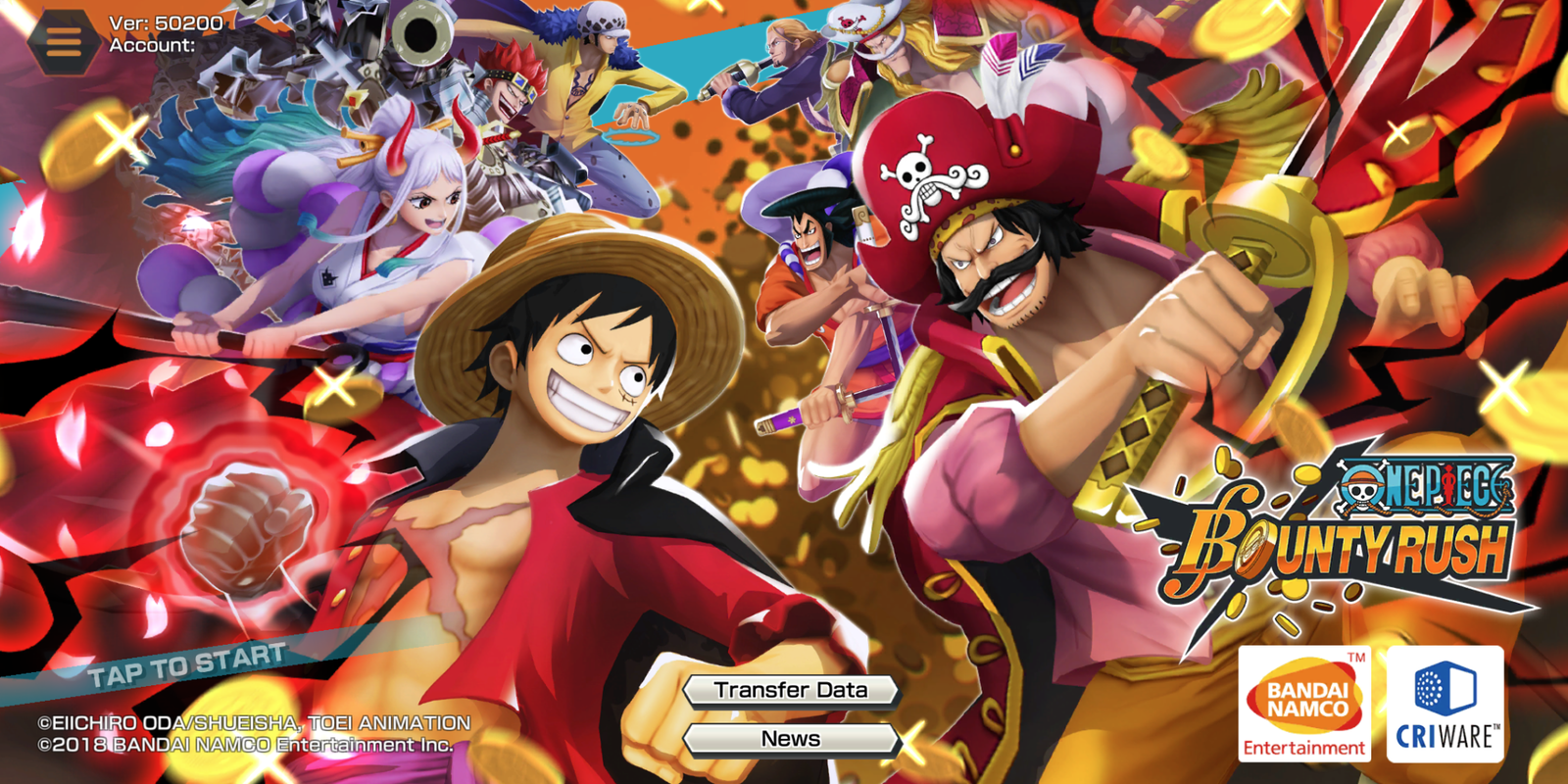
3. Click on Transfer Data and another window will open up. Now carefully type in the details of the account you want to transfer including the Transfer ID and Password.

4. Now click on Transfer Data and it’ll ask for further confirmations. You can click to proceed and within seconds, your account will be transferred.
Tips for Buyers
⦁ Verify that the account you’re buying matches the one that is being advertised.
⦁ After purchasing an OPBR account, be sure you use the procedures listed above to thoroughly protect it.
⦁ Make sure the account is not linked to another account such as Facebook or Twitter. If it is, simply delink it and then secure it.
Tips for Sellers
⦁ Make sure you have access to the associated email account so you can receive a code when customers demand one.
⦁ Don’t provide the login and codes before a mutual trust has been established
⦁ If the buyer refuses to go first and you don't trust them, try using Trade Guardian and hiring an official EpicNPC Middleman to assist you in completing a secure transaction.
⦁ Remove any payment links associated with your account such as Google Pay, etc.
So this was our guide for people who want to buy a One Piece Bounty Rush account or sell a One Piece Bounty Rush account. These steps will help you make sure that transferring OPBR account is easier for you.
