


WickedZombie

| EpicMember Upgrade A member that has upgraded their account. |
- Rating
- 5.00 star(s)
- Country
- Not Phone Verified
- Multiple Accounts
- 0
Trade Guardian Orders: 9
Total Feedback: 9
Hi,
SOLD
I am selling 1 account with the game Fallout 4 For only 35 EUROS!
(Paypal)
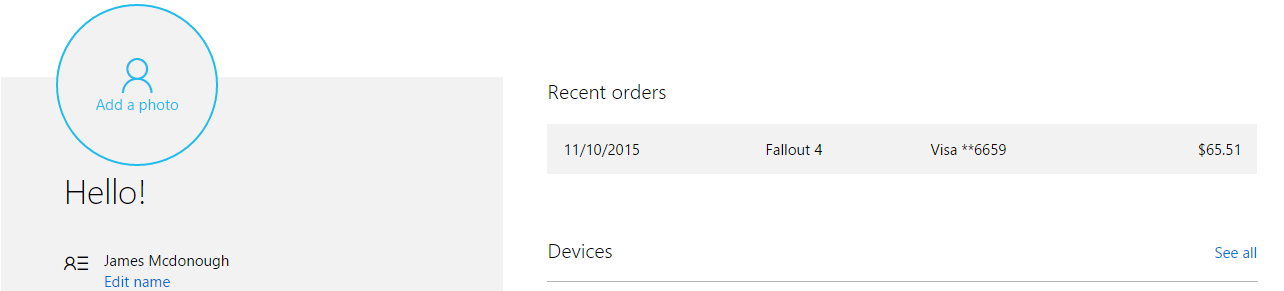
Any questions feel free to ask!!
STEPS:
Step n°1: Add the account to your console
- Switch on your XBOX ONE.
- You are now on the HomePage. Select the icon (avatar icon) of your account on the top left.
- A new window will pop-up, click on « Add a new » on the bottom left of the screen.
- Insert the email address
- Insert the password sent
- You will see a new window « Check/Control your confidentiality/account », select « Next »
- If you have a Kinect, click on « Start or be fast »
- If you do not have a Kinect, click on « No restrictions”, the middle left choice.
- You will see your avatar, click on « Next »
- Select your color, and click on « Next »
Step n°2: Add the account as the main account/my home xbox
- Go back to the HomePage by pressing the XBOX button on the middle of your controller.
- Press the button « Start » on your controller, then go to « Settings »
In the left list, go to “My home Xbox” on the bottom of the list.
- Click on « Make this my home xbox » (if a message says that your XBOX is already « My home xbox », go directly to the next step)
Your XBOX is successfully saved as your Home Xbox!
Step n°3: Download the game
- Go back to the HomePage by pressing the XBOX button on the middle of your controller.
- Go to « My games & apps » and go to the « Games » tab. Then, go to the right of the screen to see the list “Ready to install”.
Click on the game to install it.
- The download starts, you can wait until it is completed.
SOLD
I am selling 1 account with the game Fallout 4 For only 35 EUROS!
(Paypal)
Any questions feel free to ask!!
STEPS:
Step n°1: Add the account to your console
- Switch on your XBOX ONE.
- You are now on the HomePage. Select the icon (avatar icon) of your account on the top left.
- A new window will pop-up, click on « Add a new » on the bottom left of the screen.
- Insert the email address
- Insert the password sent
- You will see a new window « Check/Control your confidentiality/account », select « Next »
- If you have a Kinect, click on « Start or be fast »
- If you do not have a Kinect, click on « No restrictions”, the middle left choice.
- You will see your avatar, click on « Next »
- Select your color, and click on « Next »
Step n°2: Add the account as the main account/my home xbox
- Go back to the HomePage by pressing the XBOX button on the middle of your controller.
- Press the button « Start » on your controller, then go to « Settings »
In the left list, go to “My home Xbox” on the bottom of the list.
- Click on « Make this my home xbox » (if a message says that your XBOX is already « My home xbox », go directly to the next step)
Your XBOX is successfully saved as your Home Xbox!
Step n°3: Download the game
- Go back to the HomePage by pressing the XBOX button on the middle of your controller.
- Go to « My games & apps » and go to the « Games » tab. Then, go to the right of the screen to see the list “Ready to install”.
Click on the game to install it.
- The download starts, you can wait until it is completed.
Last edited: